
Two people, one computer: share one PC with your partner and both work from home.
Yes, you and your partner can both work on one PC at the same time. Each of you gets your own screen, keyboard, mouse, sound and Windows account on the same computer. Hydra Multi-Seat adds that to Windows 10 and 11, so there is no second PC to buy.
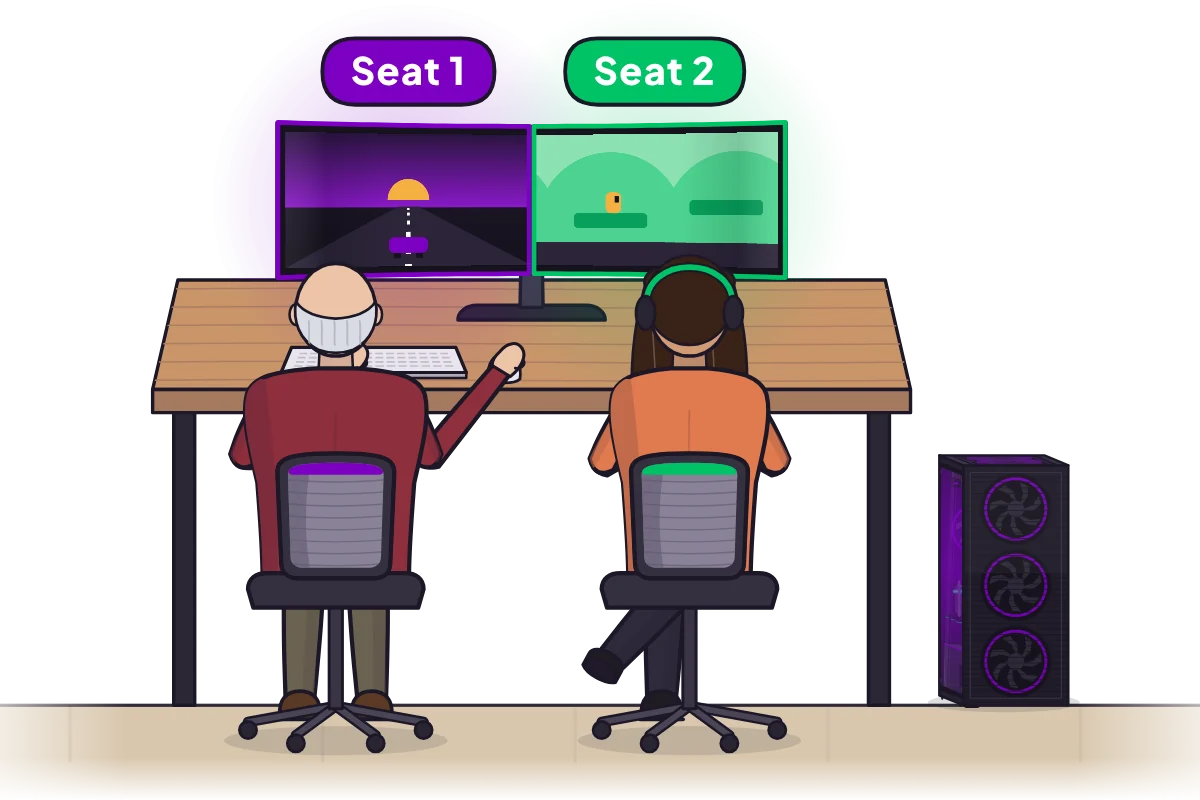
Two desks, one PC
Put two desks side by side, or in different corners of the room, and plug a screen, a keyboard and a mouse into the PC for each of you. Each desk is a seat: its own screen, its own input, its own sound and its own Windows session, all running at once. It is not split-screen and nothing is streamed; every screen runs straight from the PC's graphics card.
Your work stays your own
Each of you signs in to your own Windows account, with your own desktop, apps, files and saves. Your open windows never appear on your partner's screen, and theirs never appear on yours, so two jobs, two sets of documents and two ways of arranging a desktop live on the one PC without getting in each other's way.
One ultrawide, two halves
Short on desk space? Share one ultrawide monitor. Switch it to its picture-by-picture mode, which shows two separate inputs side by side, and give each half to a seat. Each of you gets a half to yourself, with your own keyboard and mouse.
Your own sound
Every seat has its own sound from the start, through its own headset or speakers. The usual Windows volume slider changes only your seat, so your partner's music or call never plays out of your headset. You can also share one pair of speakers, with the left side for one seat and the right for the other.
After work
When the day is done, one of you can switch to a game while the other finishes up. Everyone runs whatever they like on their own desktop, at the same time. Changing the setup, for example moving a screen from one seat to the other, happens in the panel while you both keep working.
What you need
- Windows 10 and 11 (x64).
- A graphics card from NVIDIA, AMD or Intel.
- For each person, a screen, a keyboard and a mouse.
- Game controllers, headsets and webcams work too: give each seat its own.
Set it up in three steps
- Install Hydra on your PC like any Windows app, then plug in a screen, keyboard and mouse each.
- In the panel, give each seat its screen, keyboard, mouse and sound. Press a key and it lights up, so you know whose it is.
- You each sign in to your own Windows account and start work.
Start the free 7-day trial with every feature and set it up on your own PC. One license covers every seat, so the second person costs nothing extra: see the pricing page.
More: the full walk-through in two monitors, keyboards and mice for two users, every option compared in two people, one PC, and a PC for children too in one PC for the whole family.
Questions people ask
Can two people work from home on one computer at the same time?
Yes. With Hydra Multi-Seat each person gets their own screen, keyboard, mouse, sound and Windows account on the one PC, so both can work at once.
Will we see each other's files and windows?
No. Each person signs in to a Windows account of their own, with their own desktop, apps and files, and nobody sees the other's windows.
Can we share one ultrawide monitor?
Yes. Use the monitor's picture-by-picture mode, and give each half to a seat.
Can we each use our own headset?
Yes. Every seat has its own sound through its own headset or speakers, and the usual Windows volume slider changes only that seat.
Can one of us play a game after work while the other keeps working?
Yes. Everyone runs whatever they like on their own desktop, at the same time.
Do we pay for two licenses?
No. One license covers every seat on the PC.
Try Hydra Multi-Seat on your own PC.
Every feature is free for 7 days. After that you pay monthly, yearly, or once for a lifetime license at the launch price. One license covers every seat on the PC, so you never pay per seat. The pricing page shows the prices in your currency.
DownloadMore to read
- Why Hydra: what each seat gets, and how it differs from the other ways to share a PC
- Pricing: monthly, 1-year and lifetime, with the free trial
- Questions: what a PC needs, and what to expect
- Safety: how it keeps your PC safe, and how to turn it off
- Two people, one PC at the same time
- Two gamers, one PC
- Two Steam accounts on one PC at the same time
- What is multiseat on Windows?
- Two monitors, keyboards and mice for two users on one PC
- One PC for the whole family
- All guides
Last updated 1 November 2026.