
More freedom than any other way to share a PC.
Set up your seats your way, change them whenever you like, and no seat change needs a restart.
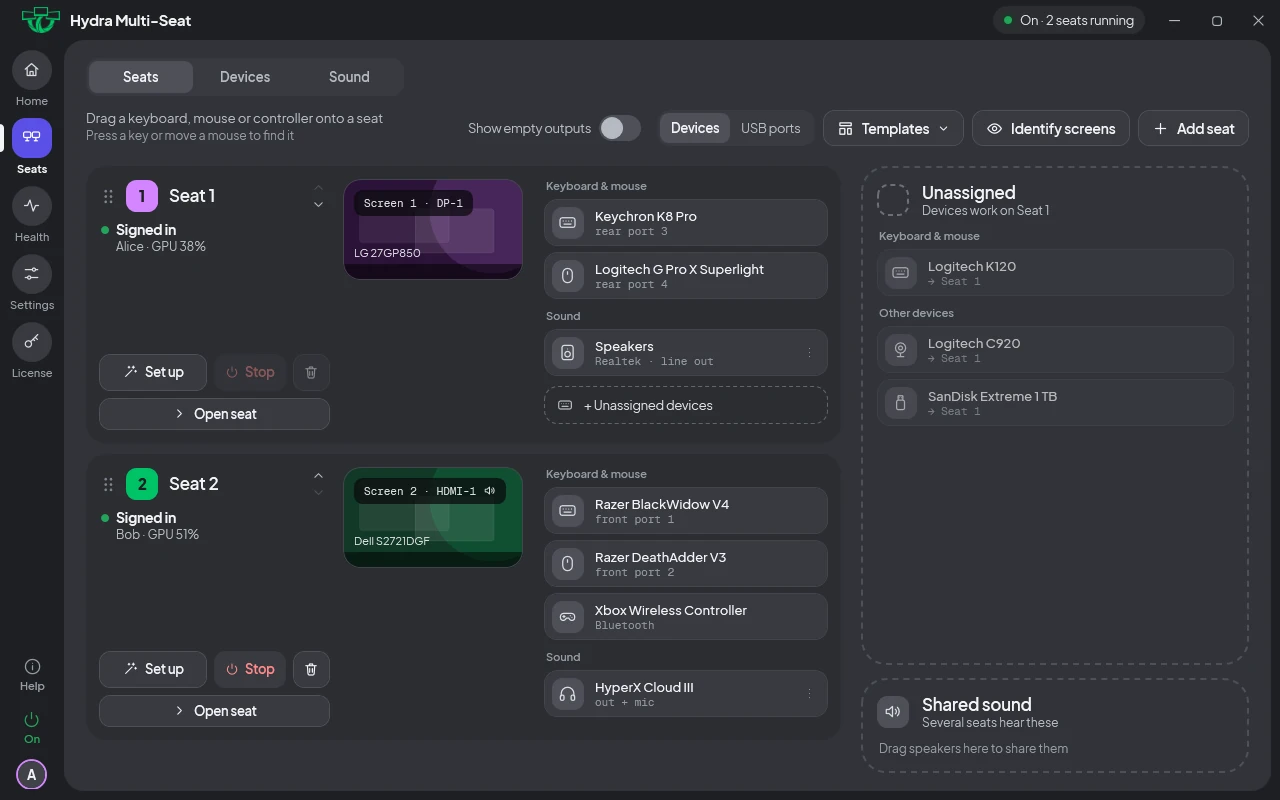
Why Hydra, in two minutes.
Nobody has to stop.
Change your seats right in the panel while everyone keeps working. No restart, and nobody signs out.
- Move a screen between seats. Drag it in the panel; nobody else is interrupted.
- Add, stop or remove a seat without restarting the PC. One person can stop their seat while the others carry on.
- Devices follow instantly. Hand a keyboard or mouse to a seat and it works there straight away.
- Templates for the setups you use often. Save one seat for when you're alone and two for game night, then switch between them in a few clicks.
Only switching Hydra on or off, updating it or uninstalling it needs a restart. How seats work →
Every seat has its own sound, and its own volume.
Each seat plays through its own headset or speakers and has its own volume control. One person can turn their game up, or mute it, and nobody else hears a change.
- Its own volume, the normal way. Each seat uses the usual Windows volume slider, and it only changes that seat.
- Its own headset or speakers. Every seat's game, video or call stays on that seat.
- On by default. Every seat has its own sound from the start.
- Or share one pair of speakers. Split a single speaker set into left and right, one side per seat, without buying anything.
Screens your way.
Give each person as many screens as they want, in any split you like.
- Several screens per seat. Two and two, three and one, any split.
- One graphics card or several. Screens come from any of your graphics cards, including the graphics built into your processor, in any mix.
- Unplugged screens stay in the panel, shown dashed, so you can see where they were and what they were for.
Easy to set up, easy to understand.
- Press a key and it lights up. Press a key or move a mouse and the panel shows which device it is, so you know whose it is.
- Name and colour each seat, so everyone knows which one is theirs.
- A panel that explains itself. If something can't be done, it tells you why in plain words.
- Open it from any seat, with a tray icon on each.
Each seat runs its own copy of the same program.
Some programs and games refuse to start a second copy because they think "I'm already running". Hydra keeps that check separate for every seat, so each person can run their own copy of the same program at the same time.
- Nothing to set up per game. It works the same for every program, with no tweaks and no mods.
- On by default. Every seat is separate from the start.
- A program on one seat doesn't shut down the same program on another. Each seat's copy carries on undisturbed.
Built to be safe.
Hydra is built to protect your PC, with several layers of safety. Switch it off and you have an ordinary Windows PC again.
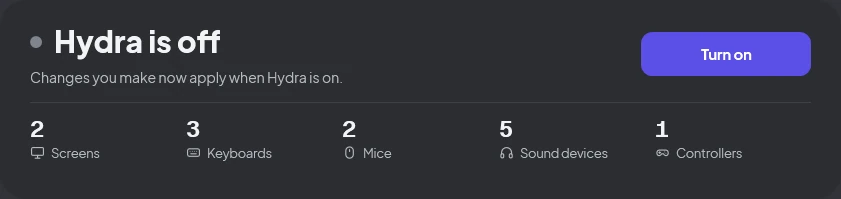
Off means off
Turn Hydra off, or uninstall it, and the PC is an ordinary Windows PC again, with every screen back.
Safe start
If Windows fails to start twice in a row, the next start comes up with Hydra off.
Crash guard
If a start crashes, the next one comes up with it off.
Emergency off key
A key combination turns it off for the next restart, from any seat's keyboard.
Recovery file
One command from Windows' recovery screen turns it off, even if nothing else works.
Health page and reports
See what happened and why, and send a problem report in one click.
Two real PCs in one.
Every person gets a full Windows desktop and account, at full graphics-card speed.
The most complete way to share one PC.
Hydra covers every row of this table.
| Feature | Hydra | Other multi-seat software | Streaming setups | Split-screen apps |
|---|---|---|---|---|
| A full Windows desktop and account for each person | Yes | Yes | Yes | No |
| Screens, keyboards and mice plug straight into the PC, nothing streamed | Yes | Yes | No | Yes |
| Games and apps with no list of supported ones | Yes | Yes | Yes | No |
| Several screens for one person, on a shared graphics card | Yes | No | Partly | No |
| Switch setups and move screens with no restart | Yes | No | Partly | Partly |
Partly: some products, or with limits. Other multi-seat software gives each person a desktop on the same PC; streaming setups stream extra desktops to another device; split-screen apps run several copies of a game on one desktop.
One license covers the whole PC.
Two seats or more, one price. Every seat is included, and you are never charged per seat.
See pricingYour PC has room for everyone.
Try every feature of Hydra free for 7 days.